
Put your ICP to work without stitching tools together
Most ICPs live in a document. Putting them to work means RevOps has to connect CRM data, research tools, scoring logic, and AI workflows. That creates another fragile system to maintain. When sellers cannot see why one account ranks above another, they revert to instinct and the prioritization process breaks down. OneSales applies reviewable ICP criteria to the CRM accounts you choose and shows the data behind every priority. Sellers know where to focus. RevOps gets a workflow the team can trust.
Book a Demo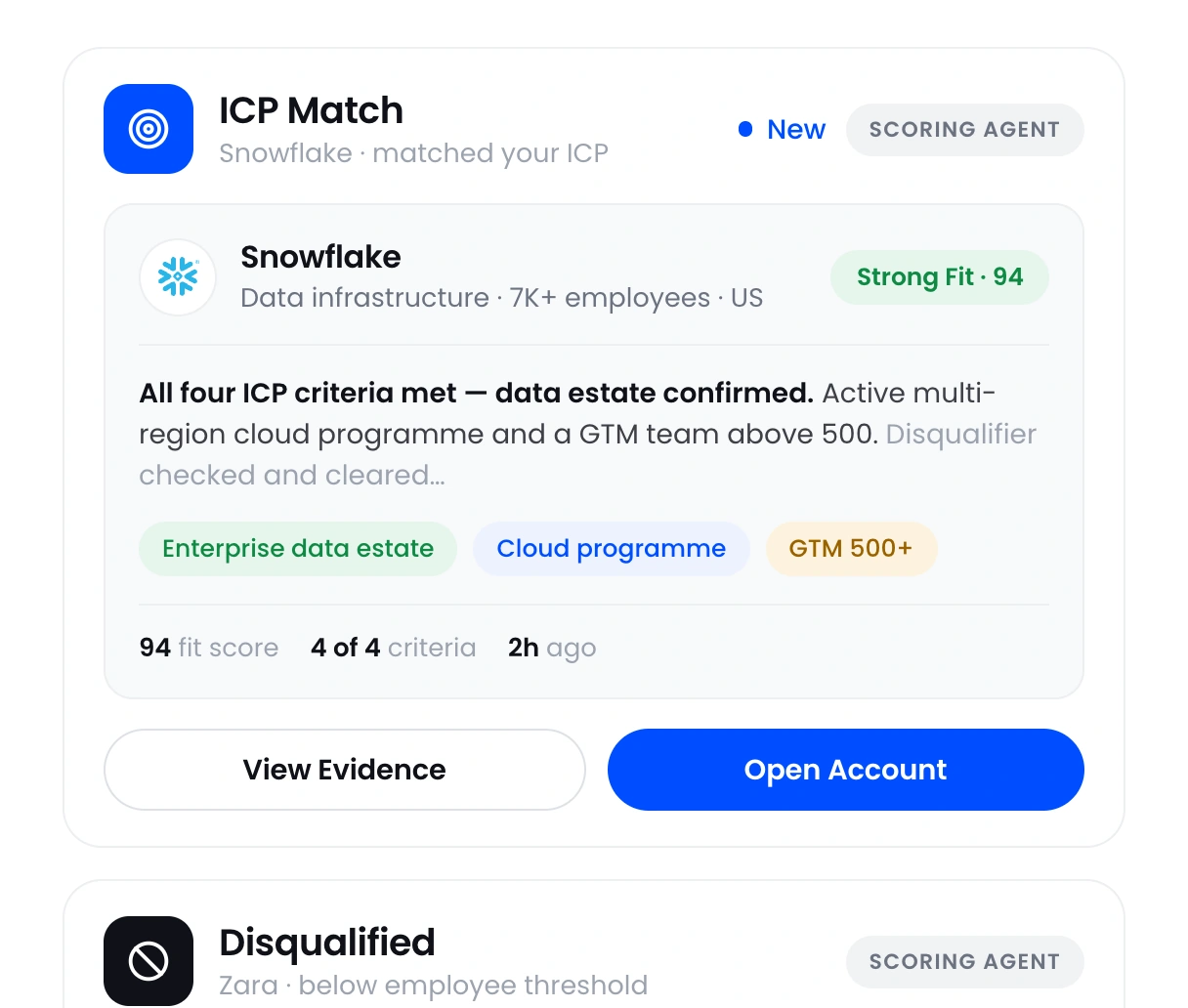












.svg)
 HubSpot
 Claude
 ChatGPT
 Gmail
Gmail Outlook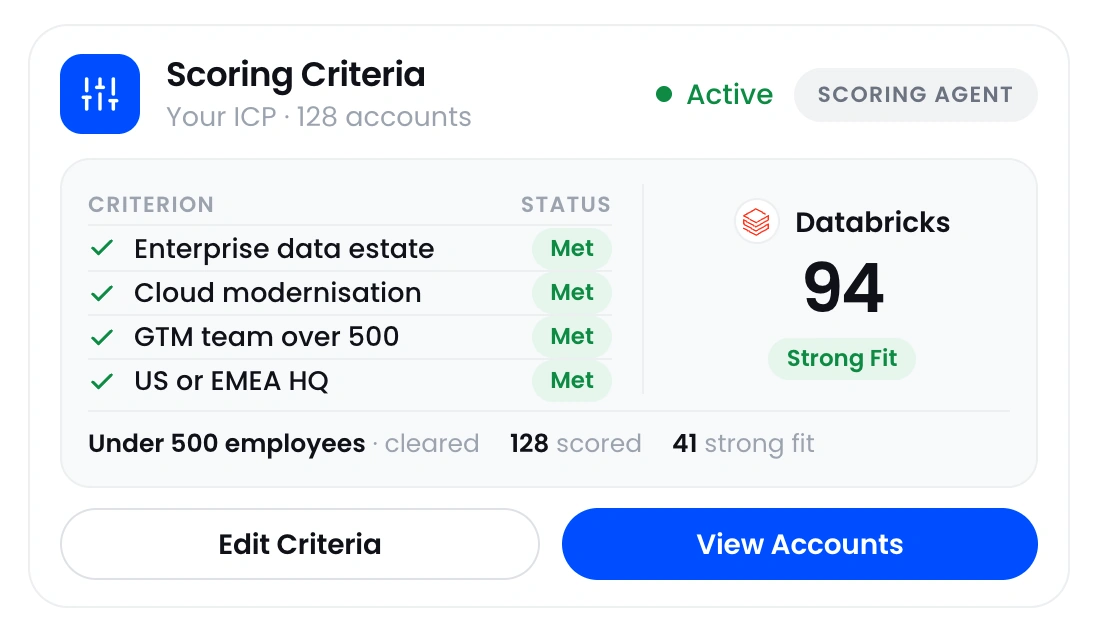
Turn your ICP into scoring criteria
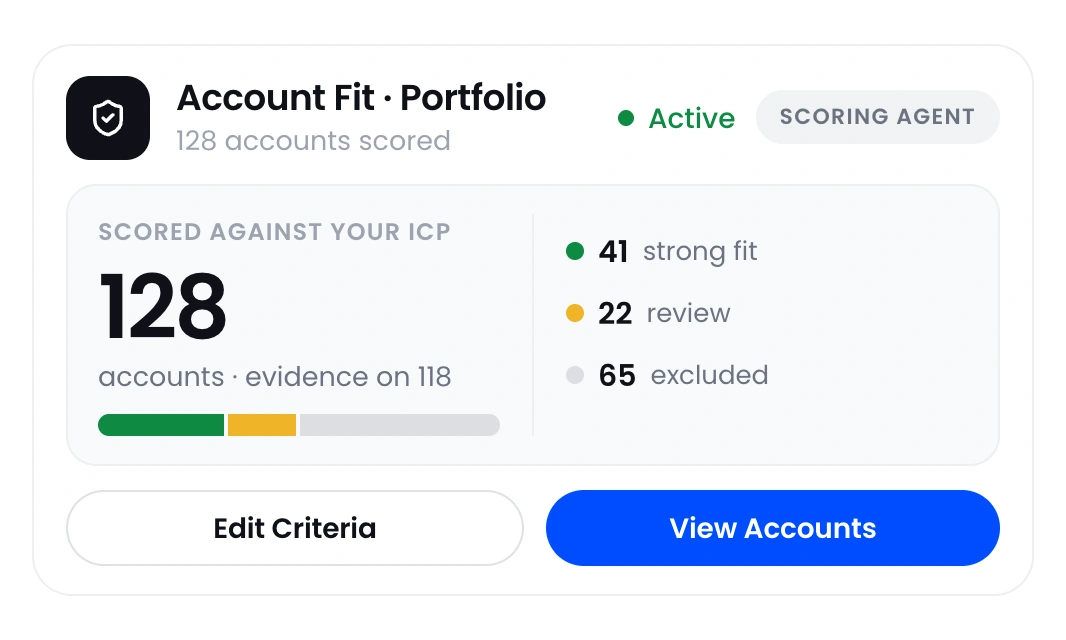
Define the characteristics that make an account a good fit and the conditions that rule it out. OneSales scores each selected CRM account against those criteria and shows the data behind the result.
 Define fit criteria RevOps can review and change
- Apply the same logic to every enrolled CRM account
- Keep the reasons and evidence beside each score
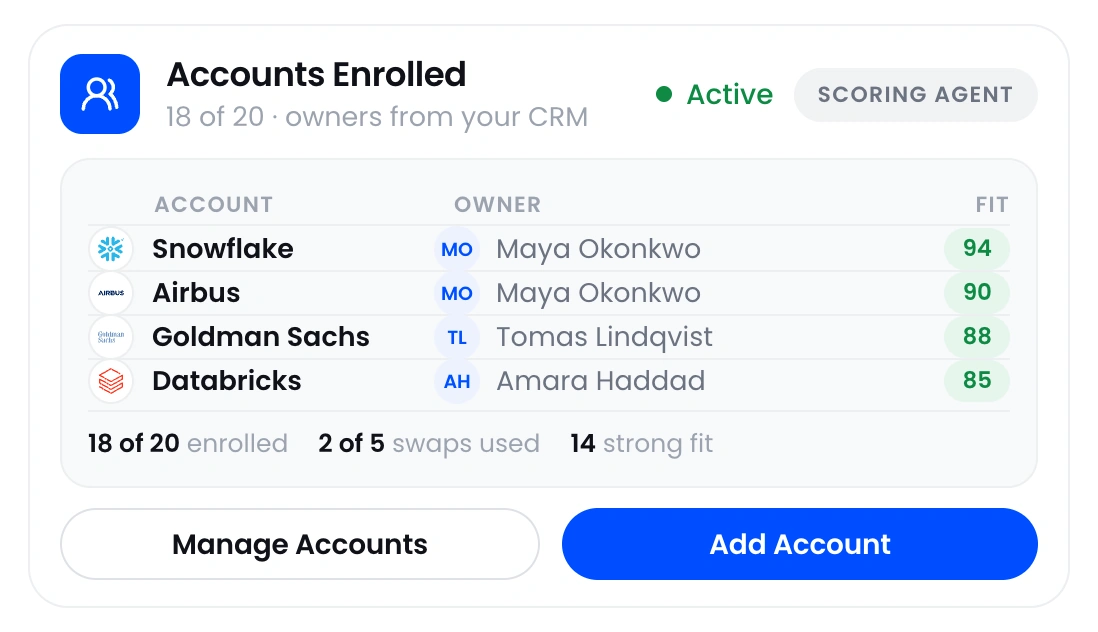
Give each seller a workable account list
Most sellers have more accounts than they can cover. OneSales ranks accounts by fit, shows why they rank where they do, and helps leaders match account coverage to available seller capacity.
- Rank accounts by fit and supporting evidence
- Align account coverage with seller capacity
- Make every priority visible and explainable
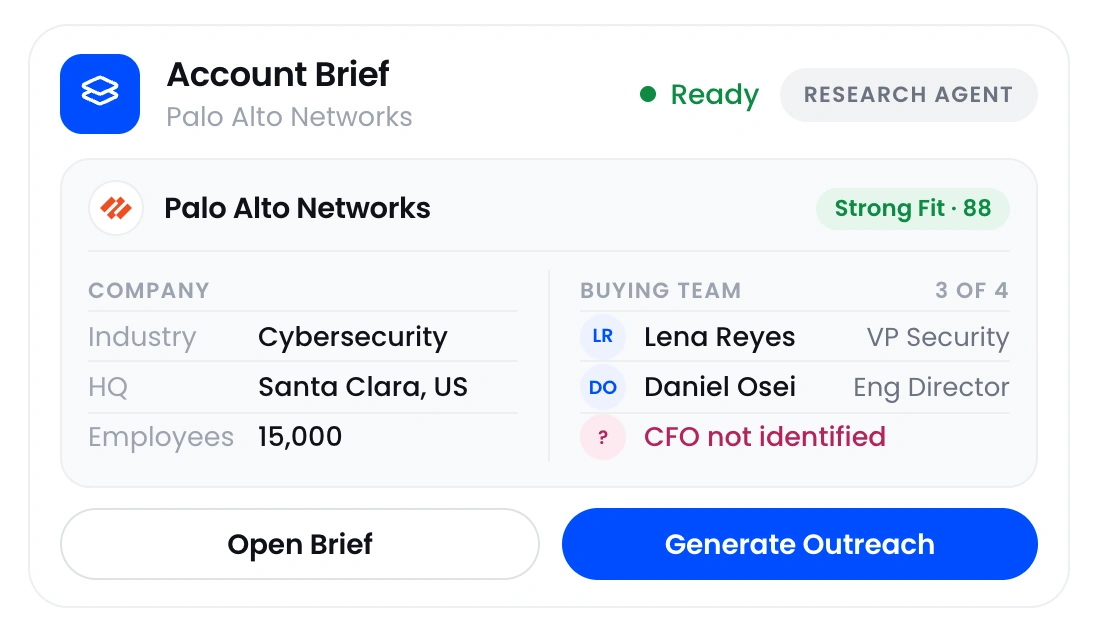
Give sellers the account information in one place
OneSales gathers company research, the people involved in the buying decision, relevant company and job changes, and an editable email draft. Sellers spend less time searching across tools, and RevOps has fewer workflows to connect and support.
- Research accounts without switching between tools
- Monitor supported company and people signals
- Give sellers context they can inspect and use
Consistent account scoring
Apply the same fit criteria to every account your team evaluates.
Account priorities with a clear reason
Show sellers and leaders why an account ranks where it does.
Less manual account research
Prepare the company, people, and change information sellers would otherwise gather themselves.
Fewer tools to connect
Bring account research, fit scoring, stakeholder information, and email drafting into one workflow.
Give RevOps one place to manage account fit and priority
Sellers see where to start, and leaders can inspect the reason behind every priority.
What revenue teams use OneSales for
Use OneSales to define account fit, score and rank CRM accounts, prepare account research, and reduce the number of tools supporting the workflow.
Account Research, Scoring & Prioritization
Research target accounts, score each one against your ICP, rank them, and keep the data behind every score in one place.
Learn more ›ICP Definition & Account Fit Scoring
Define what good fit looks like, score each account, and show sellers the data behind the score.
Learn more ›GTM Tech Stack Optimization
Bring account research, fit scoring, stakeholder information, company and job changes, and email drafting into one workflow.
Learn more ›Questions about OneSales
Straight answers about what OneSales does and how it works with your existing systems.
What is OneSales?+
OneSales turns your ideal customer profile into scoring criteria, applies them to accounts already in your CRM, and shows why each account received its score. It also prepares company research, stakeholder information, relevant changes, and editable email drafts for sellers.
Does OneSales replace our CRM?+
No. Your CRM remains the system of record. OneSales works with the accounts already there, researches them, scores each one against your ideal customer profile, identifies relevant stakeholders, tracks important changes, and gives sellers guidance on what to do next.
Can sellers use OneSales in Claude or ChatGPT?+
Yes. Sellers can ask Claude or ChatGPT questions using the account research and stakeholder information stored in OneSales.
Where does Book a Demo take me?+
Book a Demo takes you to the OneSales demo page, where you can book a 30-minute walkthrough.


